Playground Career
Tech meets creativity

Career History

A Career Built on Embracing What's Next

In 2000, the internet was still finding itself — and I went back to school to meet it head-on, which is where I first fell in love with Adobe Creative Cloud. What followed was a career shaped by leaning into change: websites, digital marketing, and eventually Solution Consulting — landing at Adobe in 2018, a moment I'd been working toward without even knowing it.

The internet was the defining technology shift of my early career. AI is that moment for this generation. And I find myself in the exact same headspace: curious, energized, and learning everything I can.

This site is part of that learning. It was created 100% with my prompting AI to both design and build it. If you want to see AI in action — tools I've actually built, experiments I've run, and capabilities I'm developing — head over to the Playground.

Contact Info
Experience

This site was 100% created by AI. Tools: Gemini, Claude and Netlify.

Tech meets creativity

Projects

Playground

Here's where I come to play!

Welcome to my little corner of the internet, where AI and I are making things together! I (and AI) built this space to experiment, create, and yes — have a little fun along the way. You'll find my PLAYGROUND here where I post my AI trials, web apps, and whatever ideas I'm testing at the moment. I'm just getting started, and trust me — it's only going to get bigger and better from here. Buckle up!


Go here for info about my career.

Tech meets creativity

Playground

Firefly Magic

ToolsAdobe Firefly

CategoryGenerative AI

This page showcases my hands-on exploration of Adobe Firefly, Adobe’s generative AI creative suite. These projects weren’t just experiments in what looks cool — they were deliberate tests of different AI image and video generation capabilities, each one targeting a distinct use case that marketers, designers, and brand teams are already putting to work.

Image-to-Cartoon Transformation

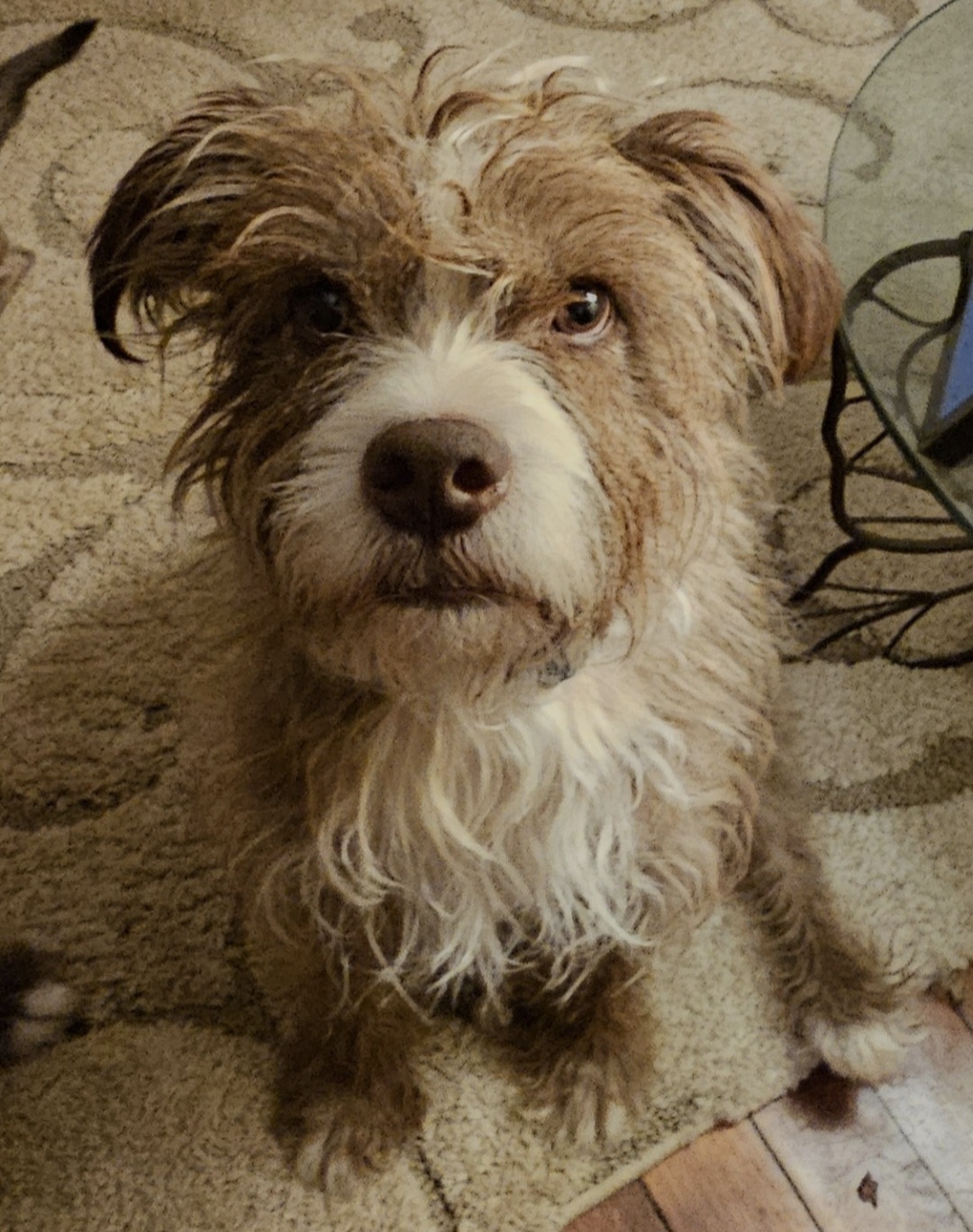
I started with a photo of my dog and used Firefly to transform it into a cartoon illustration. Then I took all four of my dogs and did the same — and assembled the results into a custom LinkedIn header. This demonstrates Firefly’s style transfer capability and its practical application in personal branding and social media creative.

Text-to-Video

I generated a short video of my dog running down a road toward the camera, then sitting and smiling — created entirely from a text prompt, with no footage involved. This is a glimpse at where AI video is heading: describing a scene in words and letting the AI build it frame by frame.

Text-to-Image — Conceptual Storytelling

I prompted Firefly to generate an image of butterflies flying through the air, transitioning from black and white into full rainbow color. This wasn’t just an aesthetic choice — it was a deliberate test of how well the model interprets metaphor and visual narrative through language alone. The result demonstrates how marketers can translate abstract concepts into compelling visuals.

Text Effects

I applied Firefly’s text effects feature to the word Jewelry, prompting it to render the letters in gemstones. This capability has immediate, practical applications in packaging design, promotional graphics, social content, and brand campaigns — no Photoshop expertise required.

Product Mockup — Text-to-Image

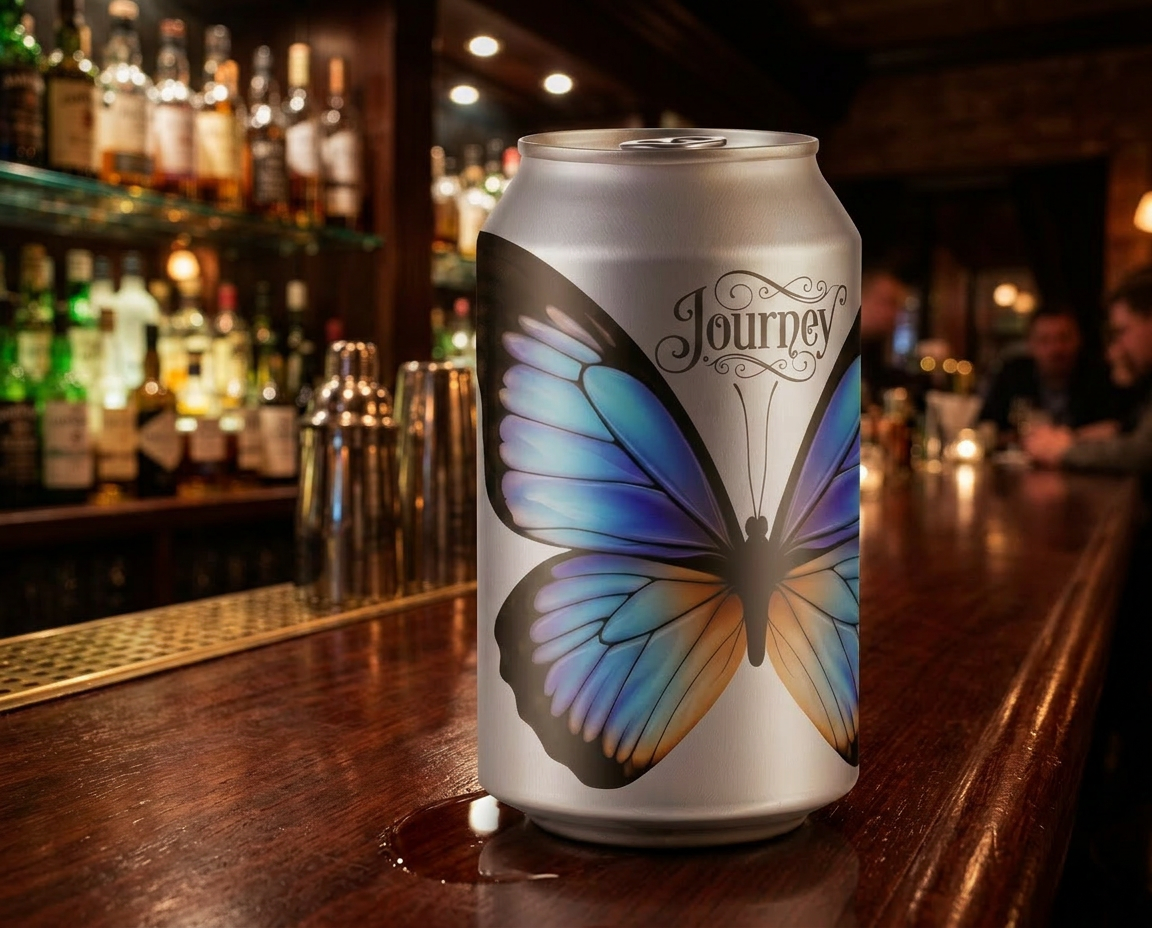
Perhaps the most commercially significant project on this page: I used text-to-image generation to create a beverage can with a custom butterfly design and label, placed inside a realistic bar scene. This is a working example of AI-generated product visualization.

The bigger picture

What Firefly represents isn’t just a faster way to make images. It’s a fundamental shift in who gets to create professional-grade visual content — and how quickly. A marketer who can write a strong prompt is now also a visual content producer. These projects are my proof of concept for that idea.

My scruffy boy
Cartoon dogs LinkedIn banner
Butterflies and bejeweled Jewelry text effect
Text effects created with Adobe Firefly
Journey adult beverage can design
Journey beverage can in a bar scene
Tech meets creativity

Playground

Mortgage Calculator

ToolsClaude

ModelsSonnet 4.6

Every mortgage calculator I found online came with a catch — submit your email, accept the spam, and brace for the sales calls. I just wanted to do some math.

So I built my own.

Using AI as my development partner, I created a clean, fully functional mortgage calculator that lives right here on my site — no forms, no data collection, no strings attached. It calculates monthly payments, total interest paid, and total cost of the loan based on home price, down payment, interest rate, and loan term.

What this demonstrates:

This project might be the most honest illustration of what AI-assisted development actually unlocks. I'm not a developer. But I had a clear problem, a specific vision for the solution, and AI as a capable collaborator. The result is a working tool I use myself — built in a fraction of the time it would have taken through traditional means.

It also makes a quiet but important point: when AI lowers the barrier to building, you stop being dependent on products that monetize your attention. You just build what you need.

$
%
$

Monthly Payment Breakdown

Principal & Interest$0.00
Insurance & Tax$0.00
Total Monthly Payment $0.00

Loan Summary

Time to Pay Off
Original Loan Amount$0.00
Total Interest Paid$0.00
Total Insurance & Tax$0.00
Total Amount Paid$0.00

Note: This calculator provides an estimate based on a fixed-rate mortgage. Your actual payments may vary based on additional fees, PMI, HOA dues, or other factors.
Tech meets creativity

Playground

Video and Clones

ToolsHeyGen, Argil

ModelsSeedance 2, Eleven Labs and Flux

This page documents my hands-on exploration of AI video synthesis and synthetic media — one of the fastest-moving and most consequential areas in AI for marketers and content creators.

Using HeyGen and Argil.ai, I experimented with two distinct capabilities:

Animated Video from a Static Image

I transformed a single photograph of myself into an animated, speaking video persona. No camera. No recording setup. Just a photo, a script, and an AI engine that handles the rest. This technology is already being used by brands, educators, and creators to produce polished video content at a fraction of traditional production costs.

AI Clone — Voice + Likeness

I created a full digital clone of myself by combining voice cloning with image synthesis. The result is an AI-generated version of me that can deliver scripted content in my own voice and with my own appearance. I wrote the script, directed the output, and produced a short video — entirely without stepping in front of a camera.

Why this matters for marketers

Video is the highest-performing content format across virtually every platform — and it has always been the most resource-intensive to produce. AI video synthesis changes that equation dramatically. A marketer who understands these tools can produce personalized, scalable video content without a production budget, a studio, or on-camera confidence.

Image to Video Test

Doc Vids AI

Tech meets creativity

Playground

Walking Tracker

ToolsClaude

ModelsSonnet 4.6

With a July 4th walking event on the calendar, I needed a way to structure and track a 14-week training plan. Instead of downloading a generic app, I worked with AI to build one from scratch — customized exactly to my goals. The Walking Tracker is a fully functional web tool that:

  • Accepts your event date, goal distance, and preferred walking days
  • Auto-generates a progressive weekly training plan that builds mileage toward your goal
  • Tracks logged miles for each session
  • Displays an overall progress bar so you always know where you stand in your training arc

What this demonstrates: This project shows how AI can accelerate the development of personal productivity tools — even for someone without a traditional coding background. The ability to describe what you need, iterate with AI, and ship something that actually works is one of the most practical skills in the modern AI toolkit.

Set Up Your Walk Tracker

Configure your training plan — we'll build your schedule automatically.

Which days will you walk?

Select at least 2 days per week.

This day will progressively build toward your goal distance.

LinkedIn Post Creator

Playground

LinkedIn Post Creator

ToolsClaude

ModelsSonnet 4.6

1 Input

You provide the topic and context for your LinkedIn post

2 Retrieval

AI goes out and finds a real, relevant article on your topic via web search

3 Generation

Claude reads the article and produces LinkedIn-ready content in your chosen tone

4 Output

You get 3 distinct variations to choose from, each with a unique hook and angle

Your story

Generated posts

Fill in your topic and hit generate.
You'll get 3 variations to choose from.